Teachers and trainers
ProblemIn lesson videos the topic drifts and the same take gets repeated again and again.
SolutionWrite the lesson flow and film with the camera; the text scrolls at speaking pace and the take is done in one go.
 iPhone · Apple Watch
Suflör (Turkish for “prompter”) is a free teleprompter that scrolls your script right below the camera while you film. Your eyes stay on the lens, there's nothing to memorize, and the text moves at your speaking pace. The app is in Turkish.
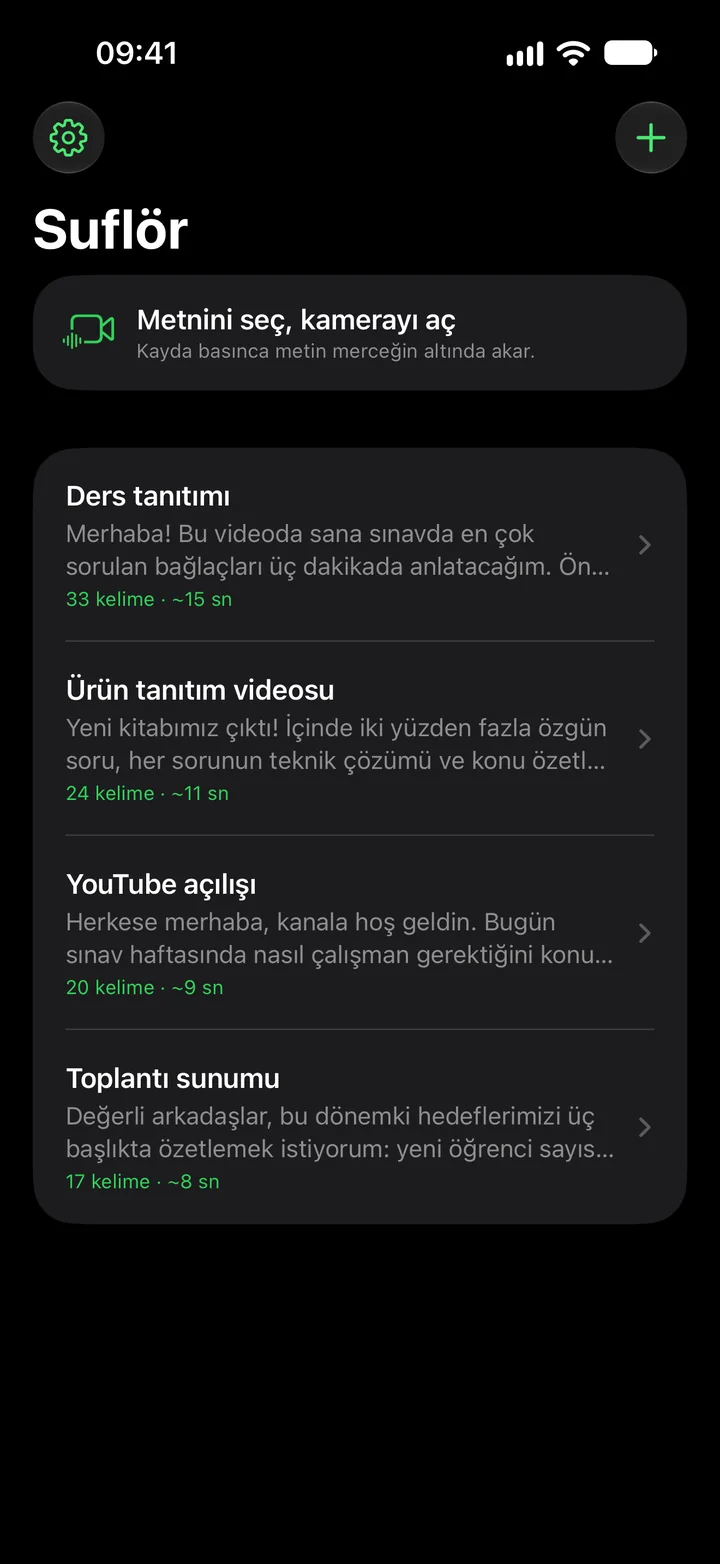
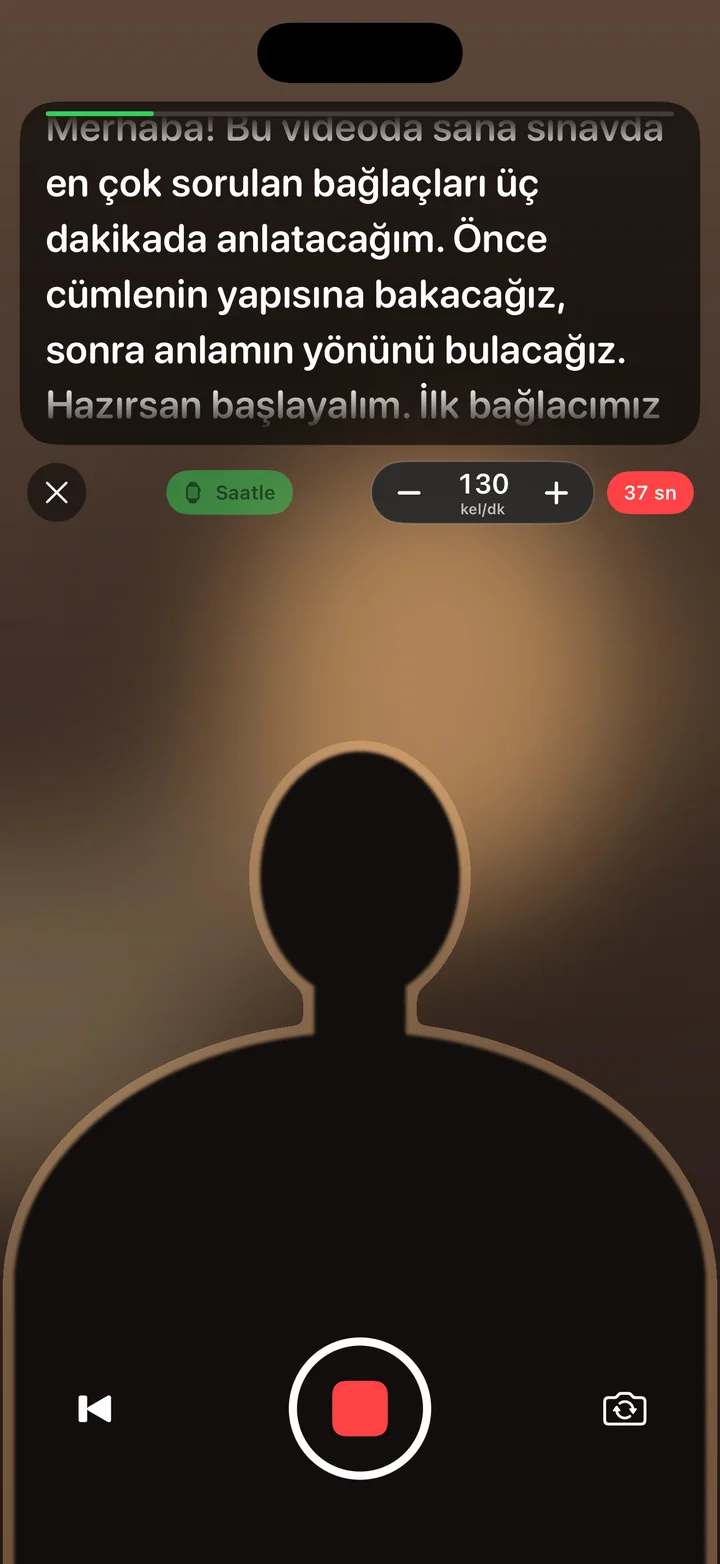
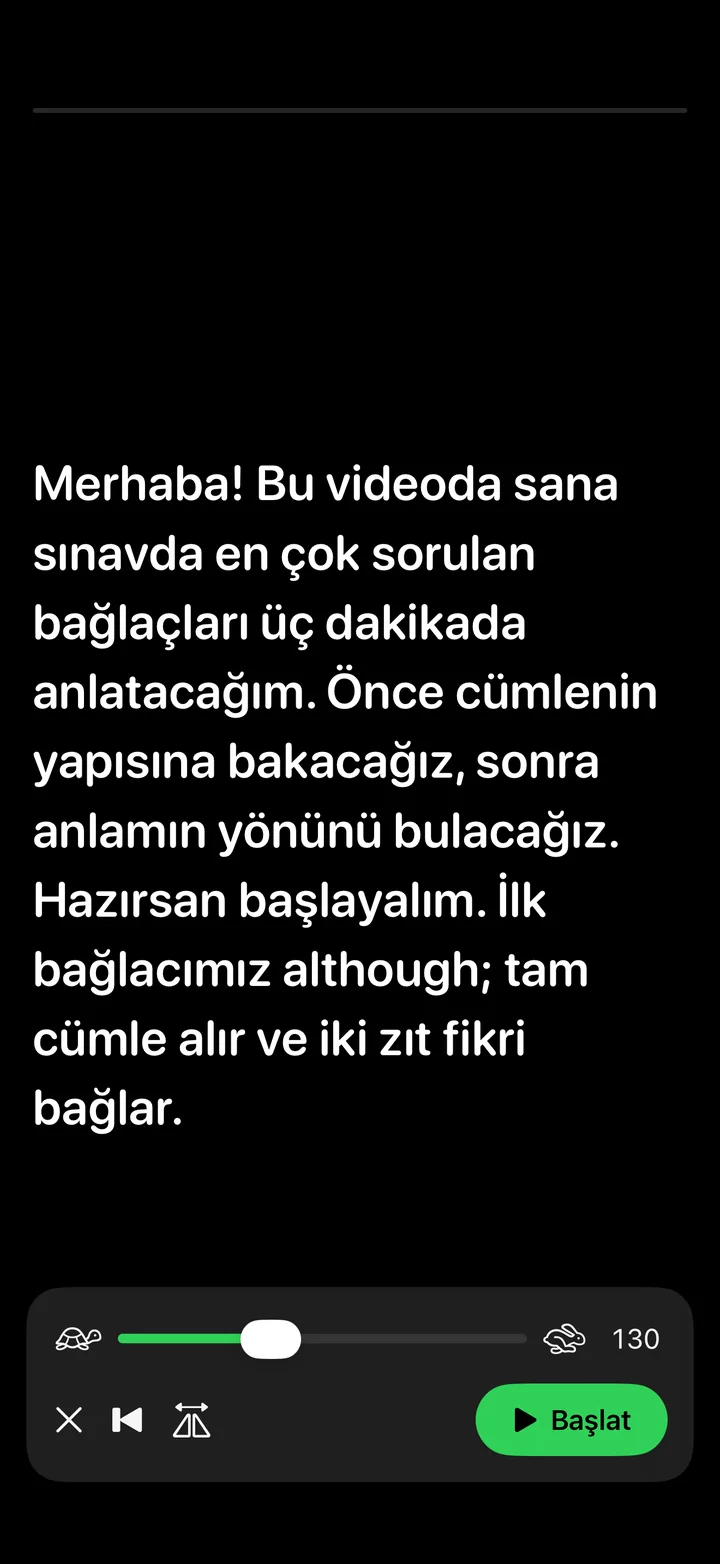
Talking to a camera isn't hard; remembering the script is. Suflör brings the text to eye level, so all you do is talk.
Who it's for
ProblemIn lesson videos the topic drifts and the same take gets repeated again and again.
SolutionWrite the lesson flow and film with the camera; the text scrolls at speaking pace and the take is done in one go.
ProblemIn Reels, Shorts and YouTube intros, your eyes keep drifting to the side.
SolutionThe text scrolls in a box close to the lens; viewers see you looking into the camera.
ProblemRehearsing means keeping time and memorizing the text at once.
SolutionYou see straight away how many seconds each script takes; rehearse full screen on your phone.
Open the camera and hit record. The text starts scrolling in a box close to the lens; when you stop recording, the video is saved to Photos.
Keep as many scripts as you like. Below each one you see its word count and how many seconds it takes at your chosen speed; making the text bigger doesn't change the duration.
For rehearsing without the camera, turn your phone into a full-screen prompter. If you film with teleprompter glass, mirror mode flips the text with one tap.
Suflör focuses on one thing: keeping your text in front of your eyes at the right speed.
The text scrolls on your watch too. Tap to start or stop. Digital Crown: adjust the speed while it scrolls, move back and forth when it's paused.
If “Saatle” (with watch) is on in the camera, the text on your watch starts when you hit record.
Relaxed speech runs at 120–150 words per minute; the default is 130 and you can change it.
A short countdown before scrolling starts; set its length in settings.
Flip the text for teleprompter glass.
No sign-in, no ads; your scripts and videos stay on your device.
Suflör works out the scrolling speed from your speaking pace. Enter your word count and speed to see the duration.
This is calculated in your browser and never sent anywhere.
On Apple Watch the text scrolls across the watch display. The Digital Crown adjusts the speed while it scrolls and moves the text back and forth when it's paused; press and hold to open speed and text size.
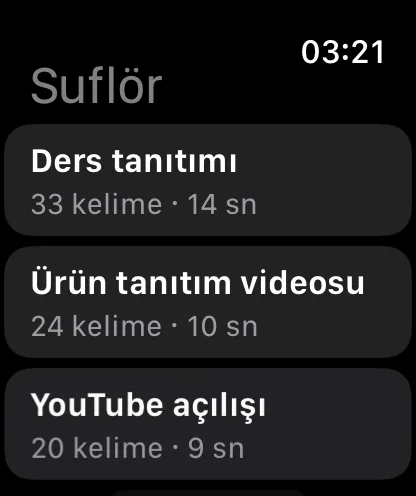
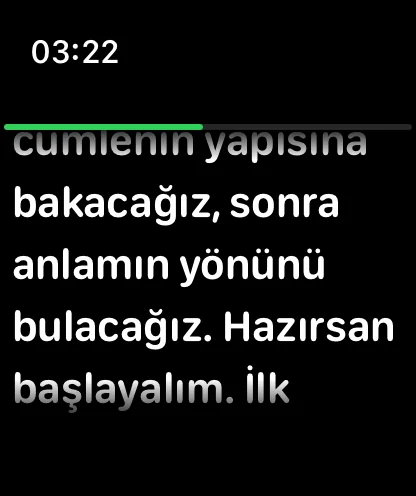
Taken from the app itself, with sample data. The interface is in Turkish.
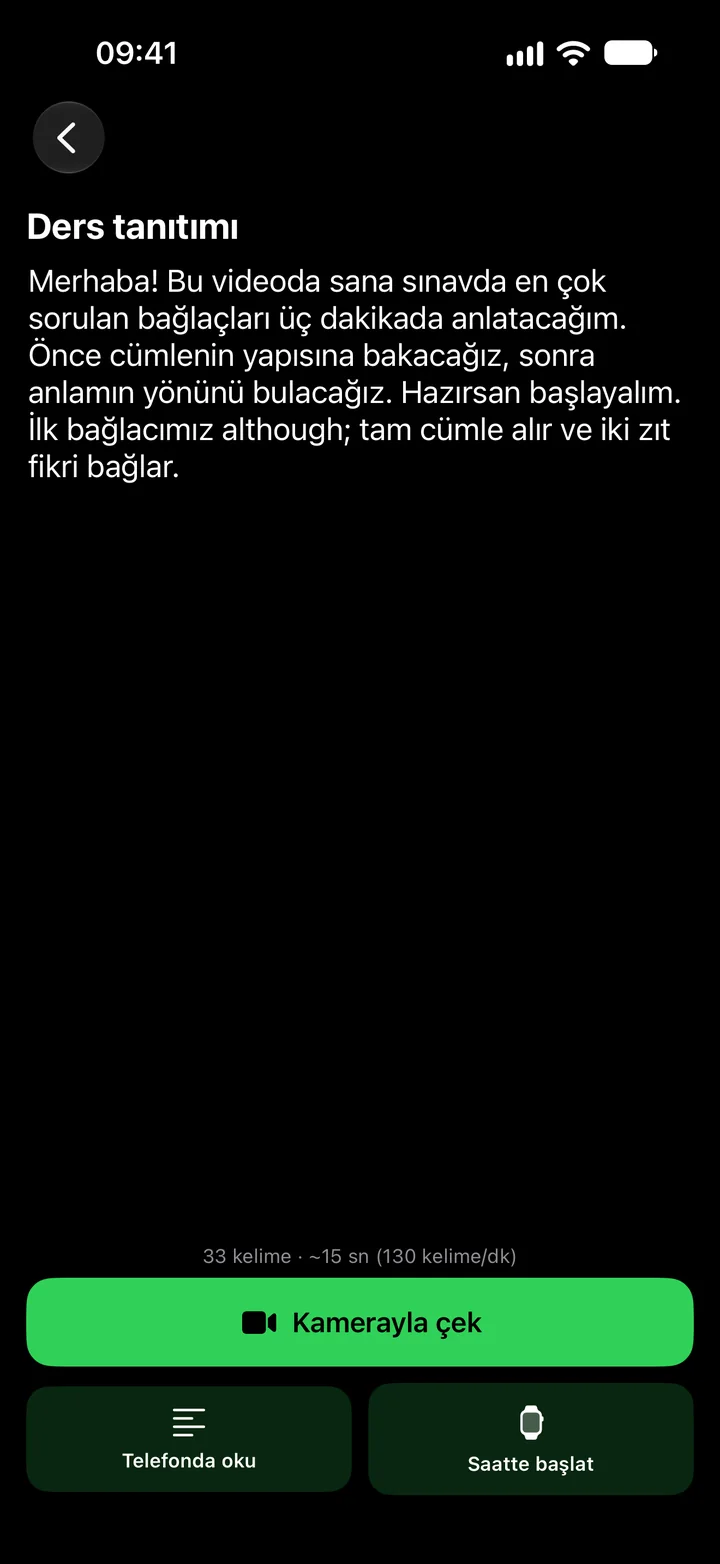
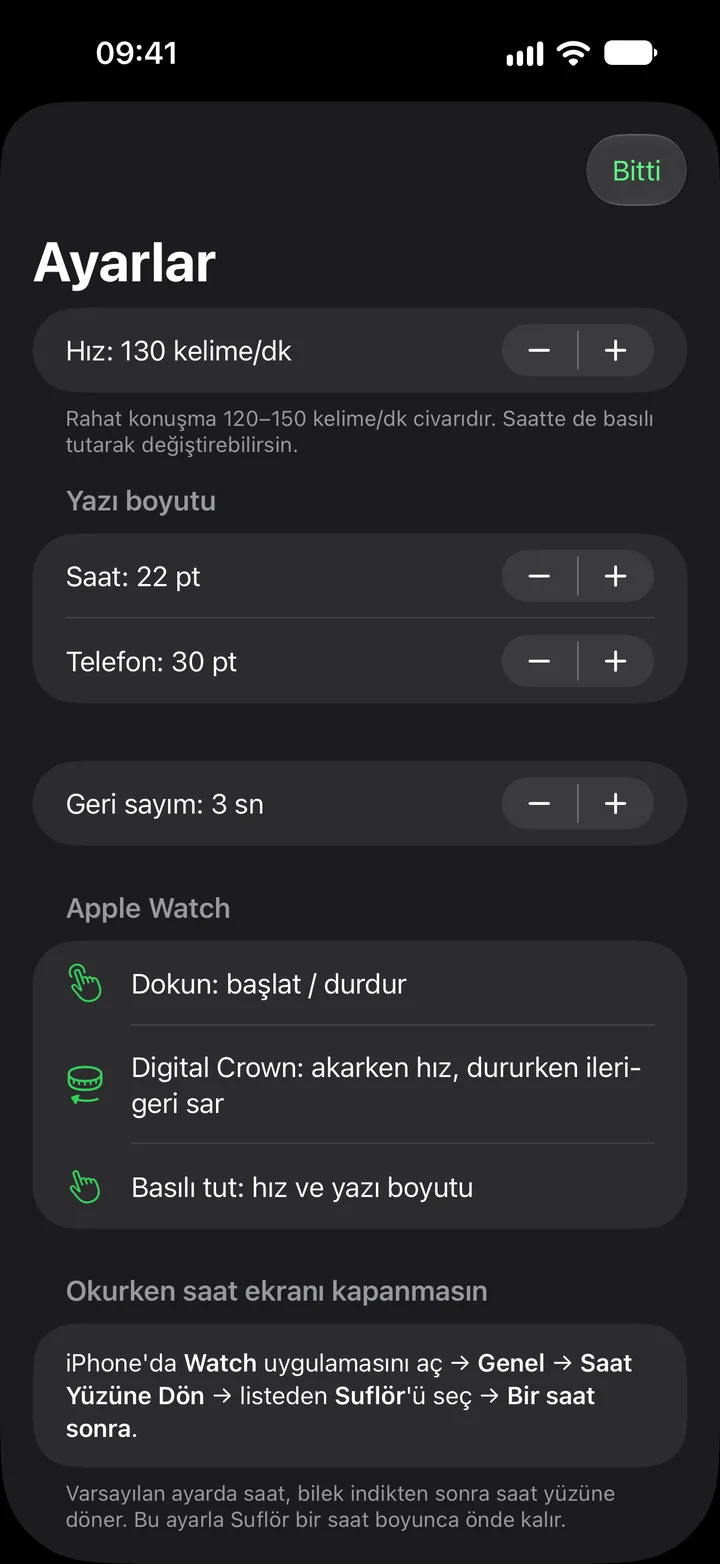
Suflör doesn't connect to any server. The camera and microphone are used only while recording; Photos access is only for adding the video.
The developer does not collect any data from this app.
Yes, completely free. No ads and no in-app purchases.
When you stop recording, the video is saved straight to Photos. Suflör never sends your videos anywhere.
While recording, the plus and minus buttons change the speed by 10 words at a time. Choose the default speed in Settings.
No. Suflör also works with just an iPhone; the watch is an optional second reading screen. The watch app needs the iPhone app to be installed. The interface is in Turkish.
Yes. Turn on mirror mode on the phone reading screen; the text is flipped and reads correctly on the glass.
Open the Watch app on your iPhone: General › Return to Clock › Suflör › After 1 hour. Suflör then stays on screen for an hour.
Didn't find your answer? Support page (in Turkish)
Suflör is on the App Store, free. For iPhone and Apple Watch.
 Well-DoneDaily study for YDS, e-YDS and YÖKDİLOn the App StoreiPhone · iPad · Mac
 HaritaKafaAGS · KPSS geography on the mapOn the App StoreiPhone · iPad
 LINK UPConnectors: four groups, plus–minusOn the App StoreiPhone · iPad
 Bütçe DefteriSpending, limits and card trackingOn the App StoreiPhone · Apple Watch
 Pomodoro Çay MolasıFocus, let the tea brew, take a breakOn the App StoreiPhone · Apple Watch
 İnancımTimes, calendar and tracking for every faithOn the App StoreiPhone
 FitDefterWorkout log and PT trackerOn the App StoreiPhone