Skip to content
Bütçe Defteri
Bütçe Defteri iPhone · Apple Watch

Bütçe DefteriWhere your money goes, at a glance

Bütçe Defteri (Budget Book) is a personal budgeting app that records your expenses in seconds and shows how much is left in each category. Your cards, installments and due dates are in one place; no account, no server, everything stays on your phone. The app is in Turkish.

  • Free
  • No account
  • No ads
  • Data on your phone
Expenses
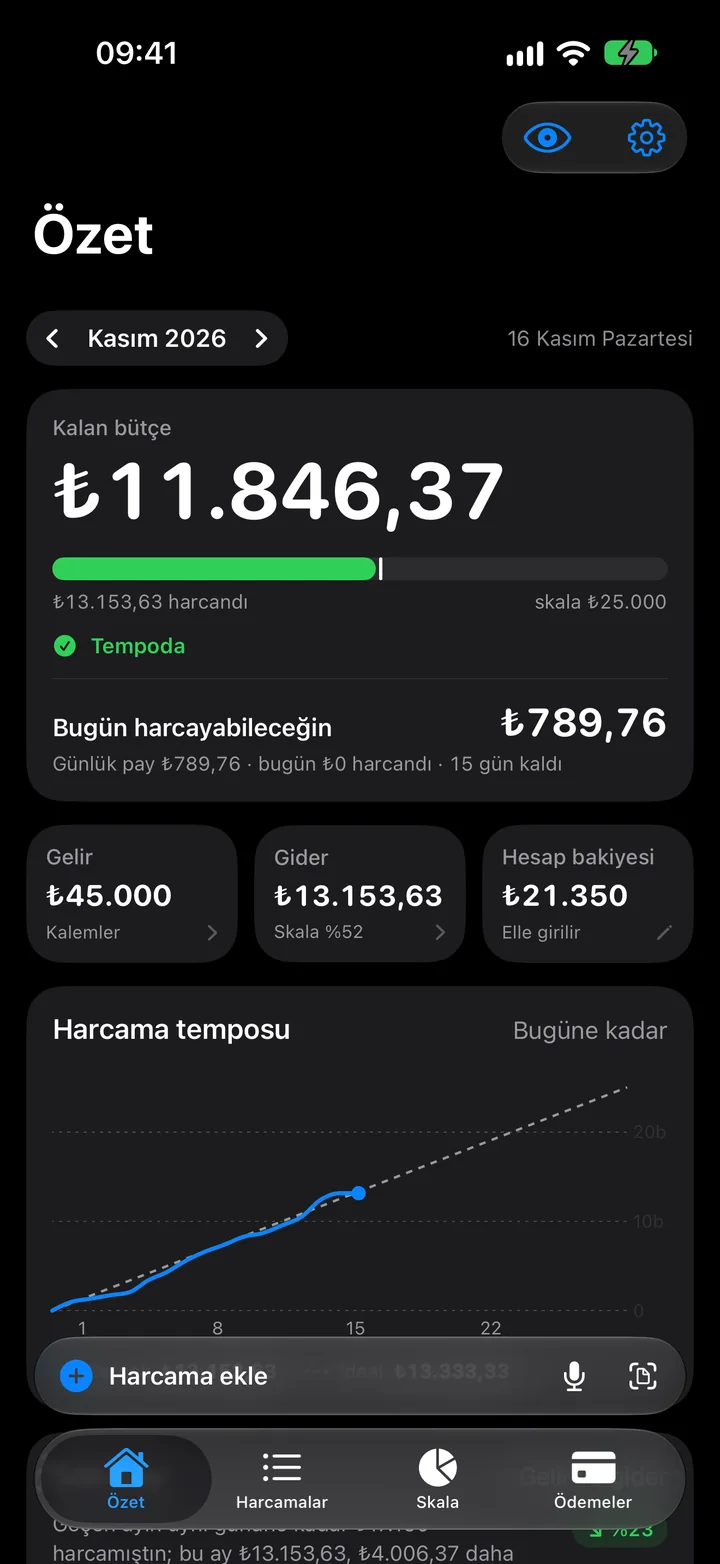
Overview
Skala
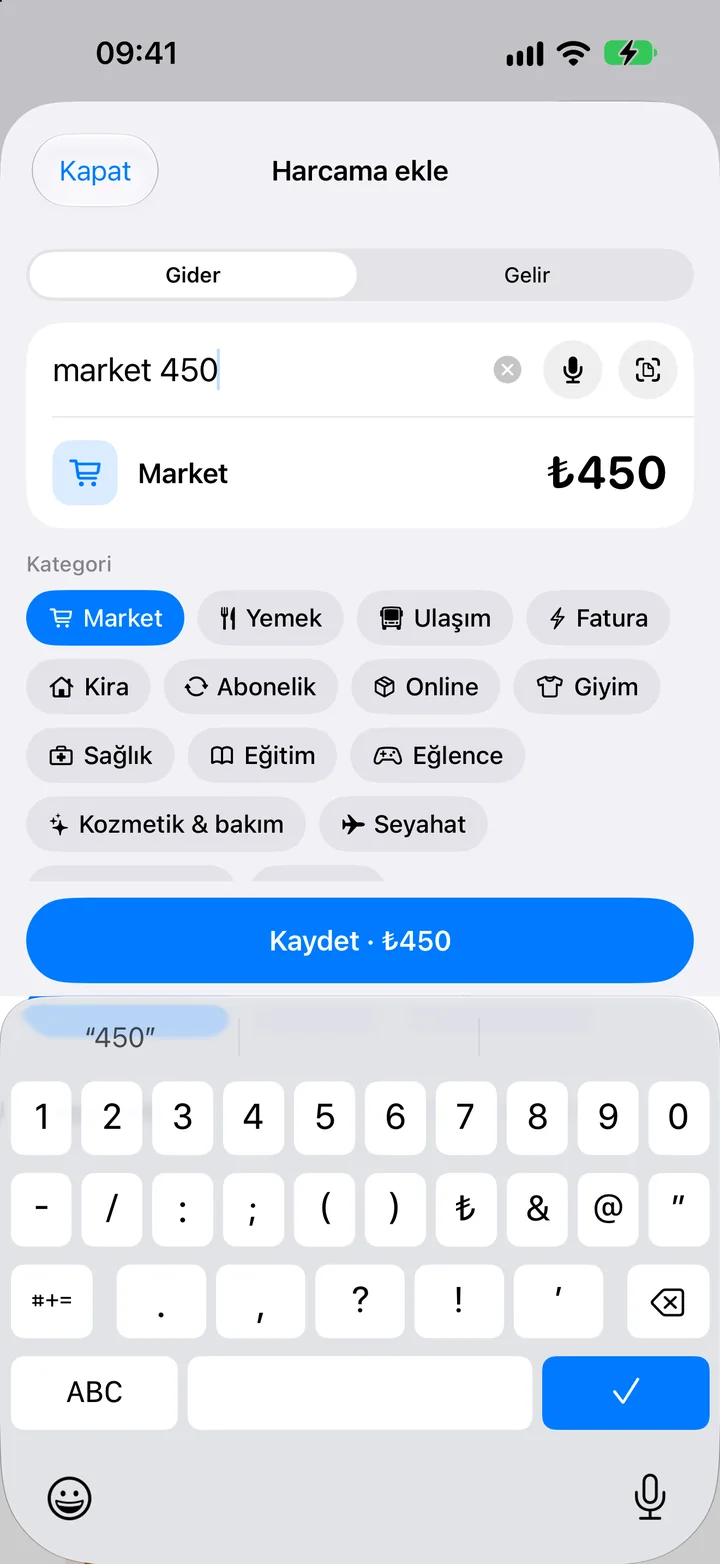
Market · ₺450Saved under Market (groceries)
Card due date3 days left, reminder set
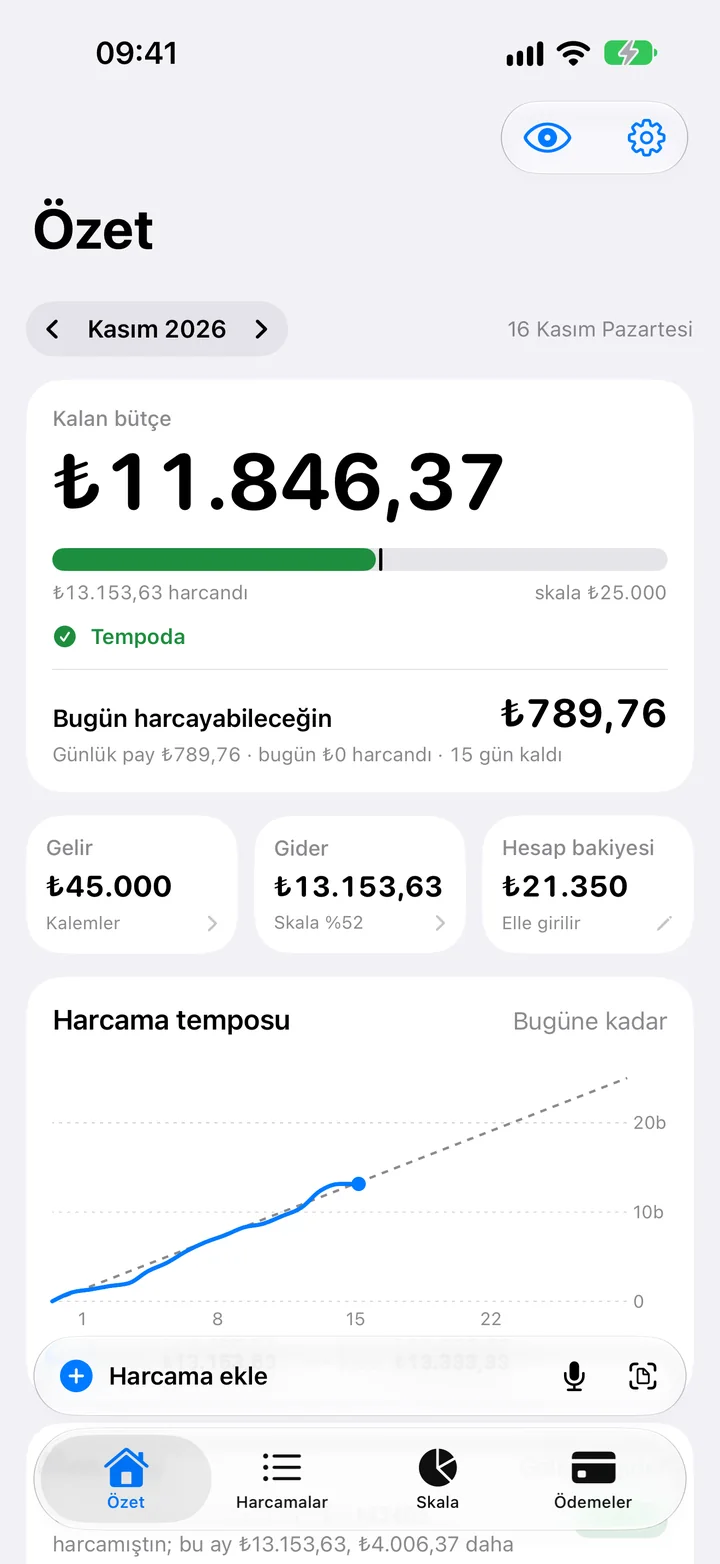
You can spend today₺789,76
What it's for

Know your month-end, don't guess it

Most budgeting apps show what you spent once the month is over. Bütçe Defteri guides you while the month is still running: it tells you how much you can spend today, which category is speeding up and which card payment is coming up.

Who it's for

Credit card users

ProblemStatement dates, minimum payments, installments and due dates are hard to keep in your head.

SolutionCards, a 12-month installment calendar and the next 30 days of payments in one list; a notification arrives before each due date.

People who run out of money mid-month

ProblemTwo weeks after payday, it's unclear where the money went.

SolutionSet a limit for each category; Skala shows whether you're ahead of or behind the month's pace and how much you can spend today.

People who keep their data private

ProblemBudget apps ask for bank connections, accounts and cloud uploads.

SolutionNo account, no bank connection, no server. Your records stay on your phone only; make a password-protected backup if you like.

Logging

Type “market 450”, done

Adding an expense takes one line that sits at the bottom of every screen. The category is detected from what you type (“market” is the Turkish word for groceries); date, card, tag and note are optional.

  • Sums work too, in Turkish number format: “1.250,50 market”, “120+45”
  • Add by voice: say “market dört yüz elli” (“groceries four hundred fifty”) and it turns into text
  • Scan a receipt: the store, total and date are read on your phone
  • Share a credit card statement PDF and its lines land in the review inbox
  • With a Shortcuts automation, bank text messages or Wallet transactions are recorded without opening the app
Logging
Skala

A limit for every category, a pace for every day

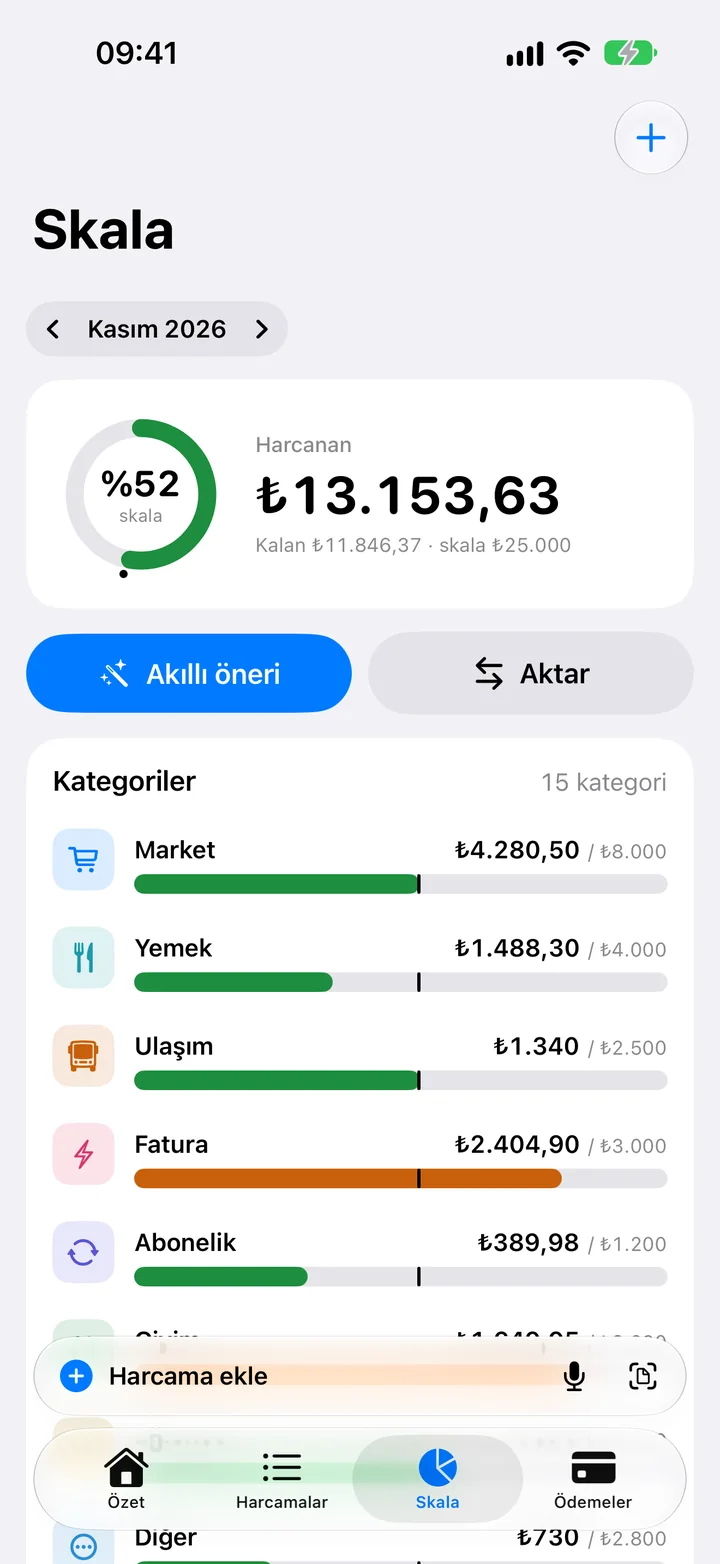
Groceries, food, transport, bills: give each one a monthly limit. The pace marker on Skala, the budget gauge, shows whether your spending is ahead of or behind the month.

  • Alerts at 80% and 100% of a limit
  • What's left over rolls into the next month
  • Move money from one category to another during the month
  • If your salary arrives mid-month, your budget month starts on payday
Skala
Payments

Due dates without surprises

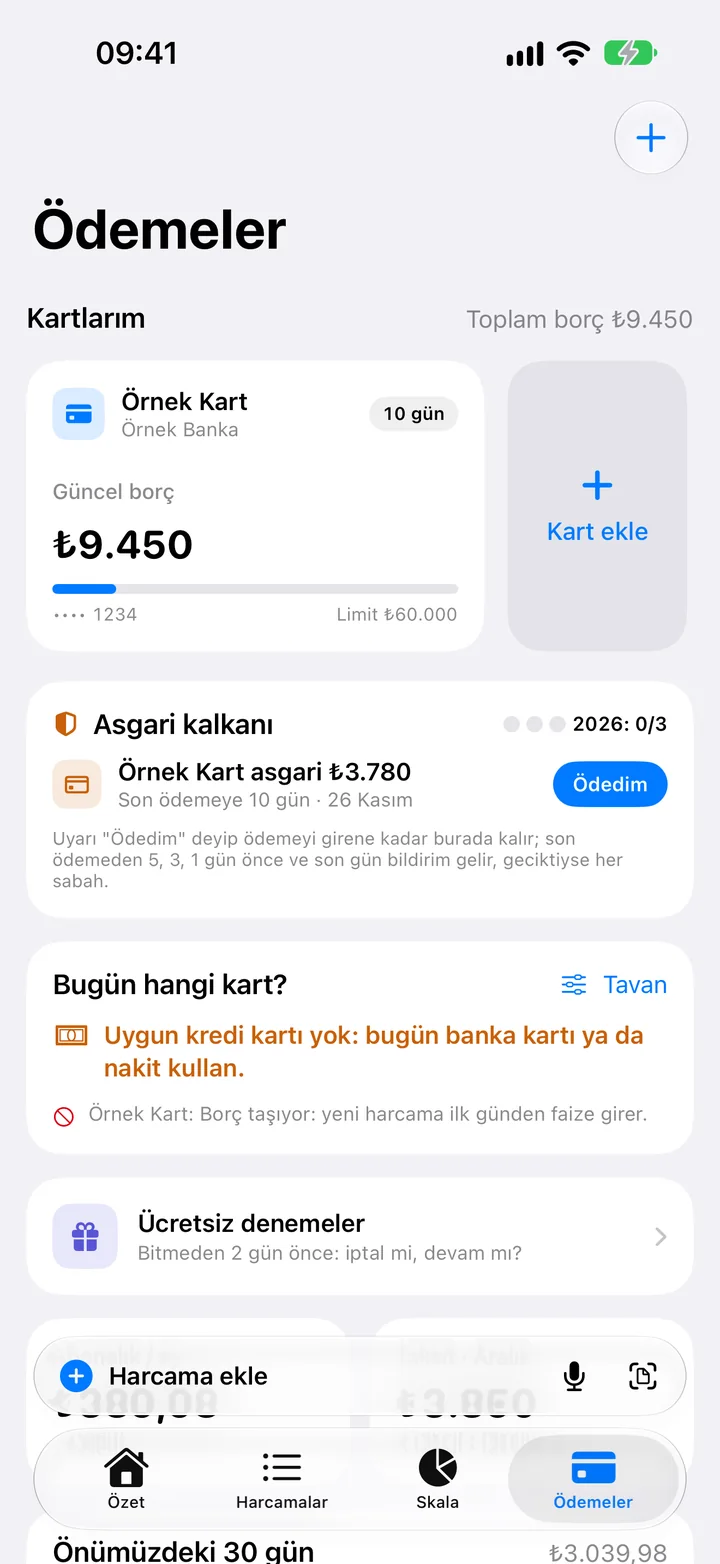
Credit card balances, minimum payments, statement and due dates; installment calendar, subscriptions and recurring payments. Everything you'll pay in the next 30 days in one list.

  • Minimum payment shield: reminds you 5, 3 and 1 day before the due date until you mark it as paid
  • A card due in three days appears on the Lock Screen as a Live Activity
  • Free trials: two days before one ends, it asks whether to cancel or keep it
  • Which card today: suggests which card is better to pay with
Payments
Plans and insights

Debts, savings goals, big expenses

Who you owe and who owes you. For a savings goal it shows how much to set aside each month until the deadline, and for big once-a-year expenses, this month's share.

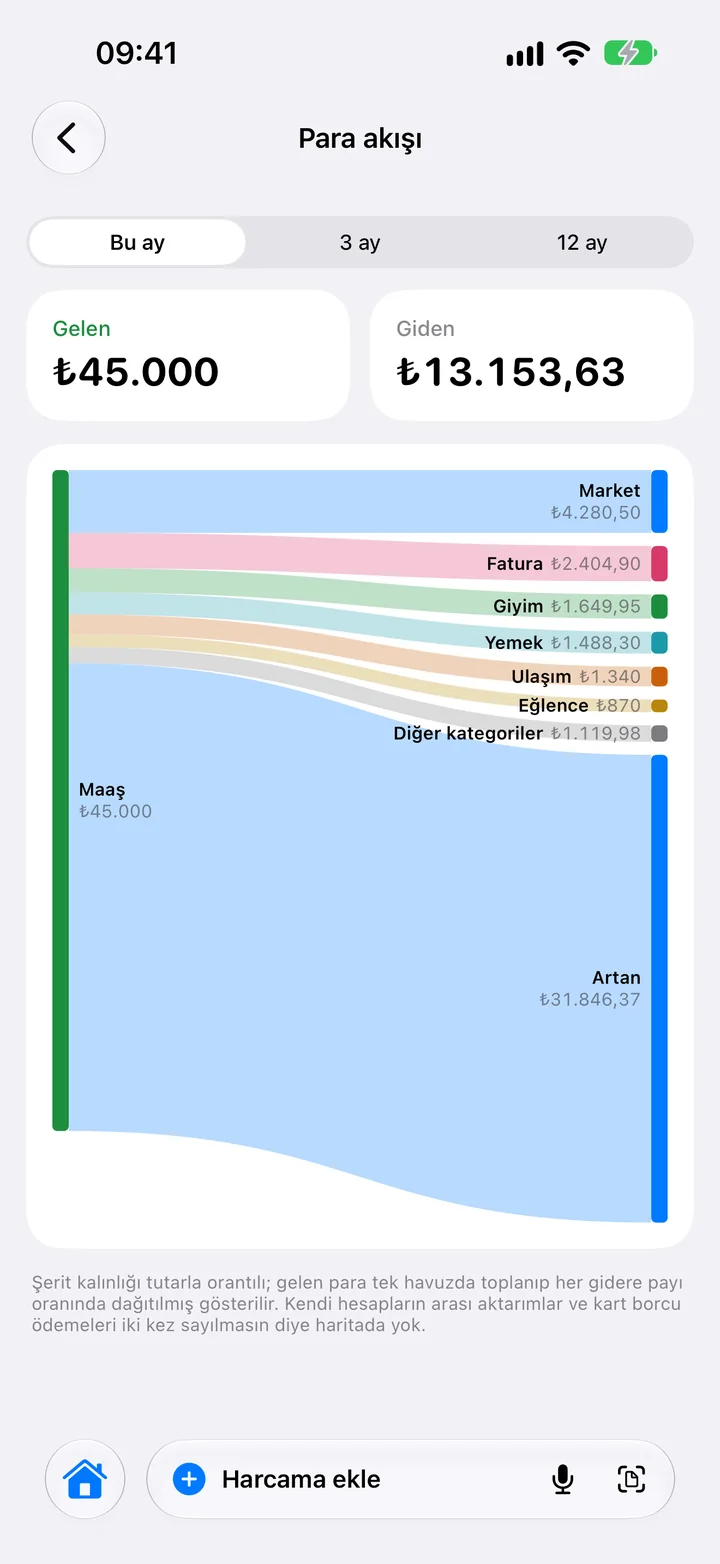
  • Cash flow: where your income goes, in a single chart
  • Day-by-day calendar, search and tags
  • Link a refund to its purchase, spread a big purchase over months
  • Export the month's spending as a CSV or PDF report
Plans and insights
30 days
of payments in one list
12 months
installment calendar
80%
and 100%: limit alerts
0
servers, accounts and ads
Bütçe Defteri

Right there, without opening the app

From widgets to your watch, from Siri to the Lock Screen: logging and checking are one tap away.

Widgets and Control Center

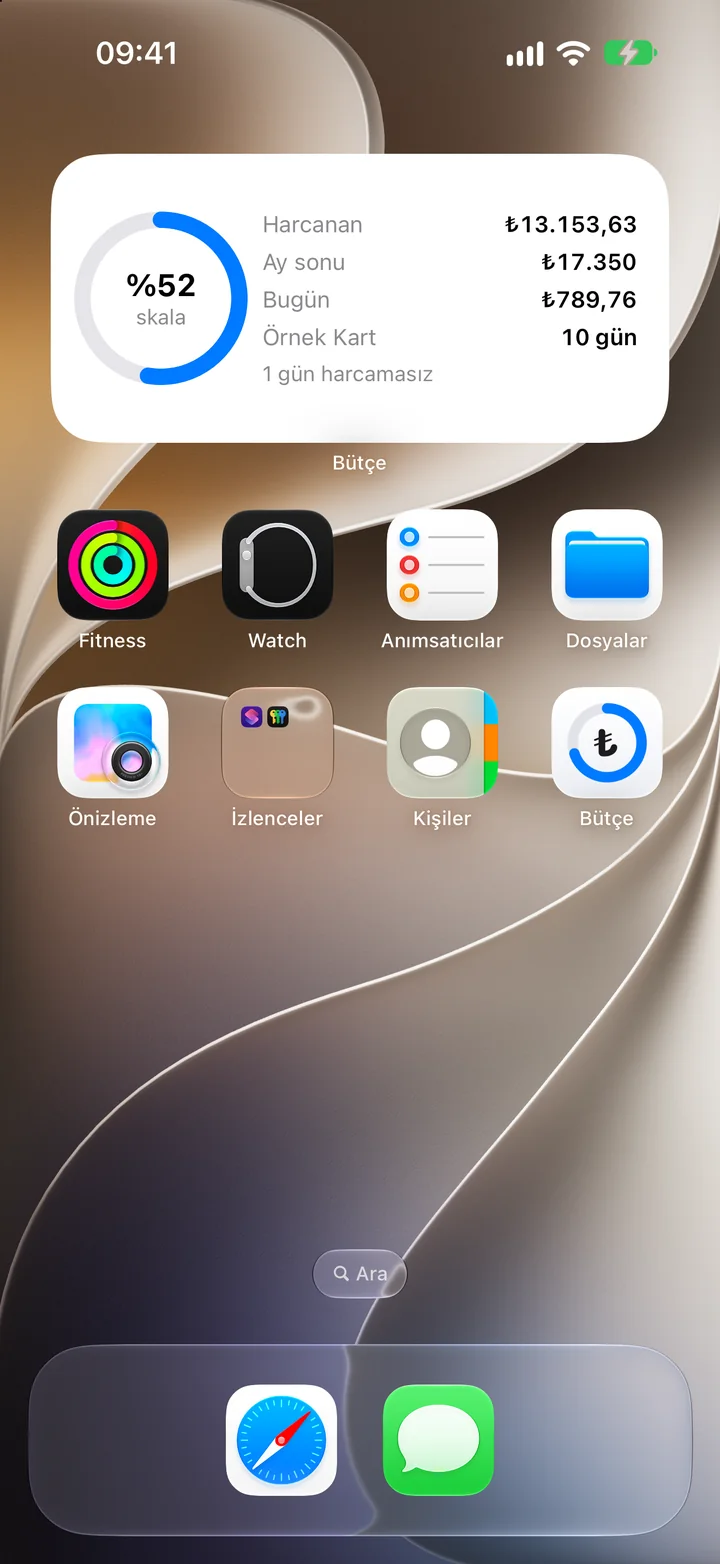
Home Screen and Lock Screen widgets, one-tap quick entry, Control Center buttons.

Apple Watch

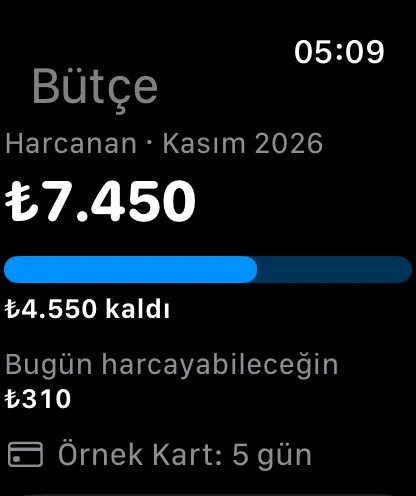
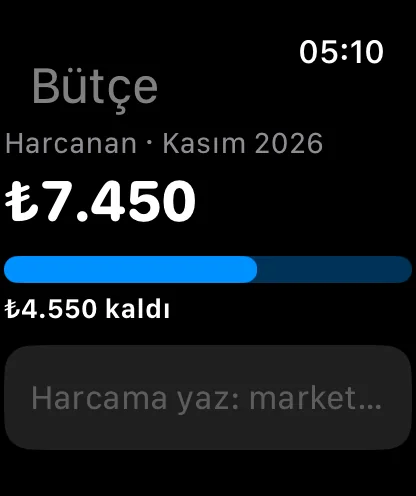
The Skala ring, how much you can spend today and the next due date; log expenses from your wrist.

Siri

Say “Bütçe bugün ne kadar harcayabilirim” (“how much can I spend today”). “Bütçe bunu alsam mı” (“should I buy this”) adds it to a waiting list and asks again 48 hours later.

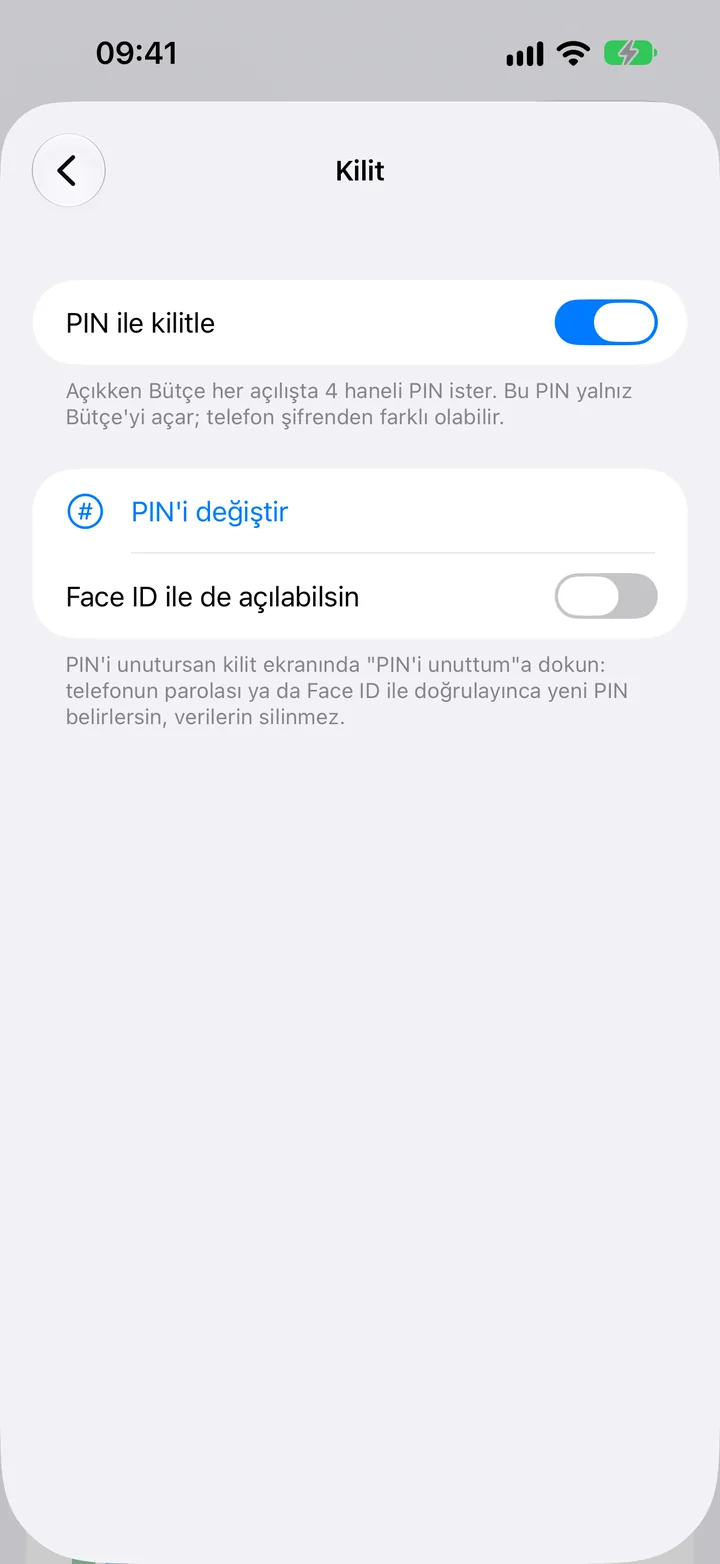
PIN and Face ID

Optional lock; when it's on, content is hidden in the app switcher too.

Guest mode

Shake your phone to hide all amounts.

Light and dark appearance

iOS's own layout and system fonts; easy on the eyes at night.

Apple Watch

Your budget on your wrist

On Apple Watch, the Skala ring, how much you can spend today and the next due date at a glance. Log an expense from your wrist and it's added on your iPhone.

Apple Watch
Apple Watch
Screens

Real screens from the app

Taken from the app itself, with sample data. The interface is in Turkish.

Bütçe Defteri: Overview
Overview
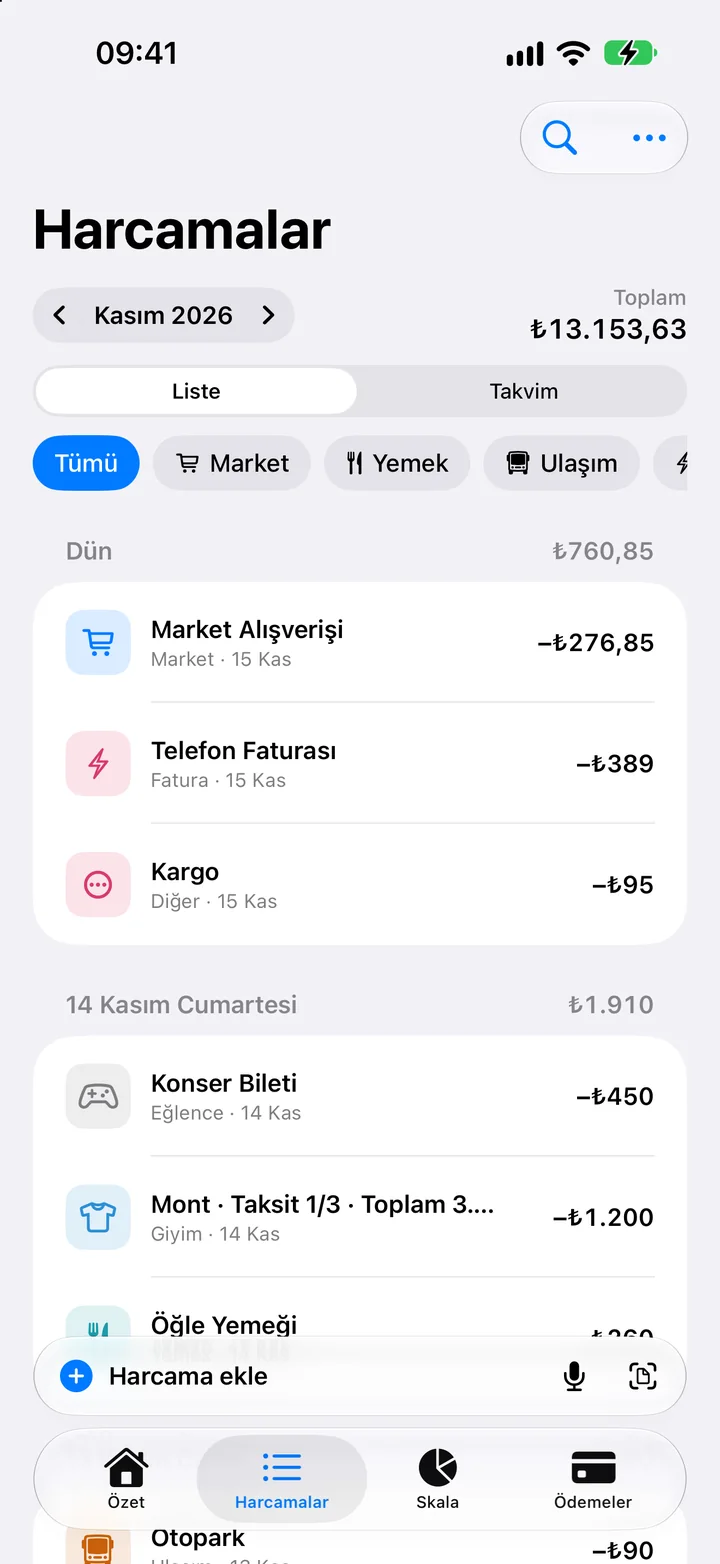
Bütçe Defteri: Expenses
Expenses
Bütçe Defteri: Skala
Skala
Bütçe Defteri: Payments
Payments
Bütçe Defteri: Quick entry
Quick entry
Bütçe Defteri: Cash flow
Cash flow
Bütçe Defteri: Widget
Widget
Bütçe Defteri: Dark appearance
Dark appearance
Bütçe Defteri: Lock settings
Lock settings
Privacy

Your money, your data

Bütçe Defteri is not a bank: it doesn't connect to your bank or move money. It only organizes the records you enter.

  • Data stays on your phone only; iCloud sync is off, no server
  • No ads, analytics or tracking
  • Password-protected, encrypted backup file
  • Location, camera and microphone are requested only when you turn on that feature; data never leaves the device
Privacy policy (in Turkish)
App Store privacy label Data Not Collected

The developer does not collect any data from this app.

FAQ

Common questions

Does it cost anything? Is there a subscription?

No. Bütçe Defteri is free; there are no in-app purchases or subscriptions.

Does it connect to my bank?

No. The app doesn't connect to any bank or financial service and doesn't move money. You enter the records yourself; if you like, a Shortcuts automation can log bank text messages or Wallet transactions for you.

Where is my data stored?

Only on your phone. No server, no account, iCloud sync is off. When you switch phones, you move everything with a password-protected backup file.

How do I add my credit card statement?

In your banking app, send the statement PDF to Bütçe with Share. Its lines land in the review inbox and the ones you approve are saved; the PDF itself isn't kept.

Can my budget month start on payday?

Yes. If your salary arrives on the 15th, your budget month starts on the 15th too; Skala and the pace are calculated accordingly.

Which devices does it run on?

iPhone and Apple Watch. The interface is in Turkish and amounts are in Turkish lira (₺). Insights and suggestions are for information only and are not financial advice.
Didn't find your answer? Support page (in Turkish)

See the end of the month from today

Bütçe Defteri is on the App Store, free. For iPhone and Apple Watch.